
Navigation link for top of page
I want to be able to add a navigation link via the Insert Navigation Links dialog
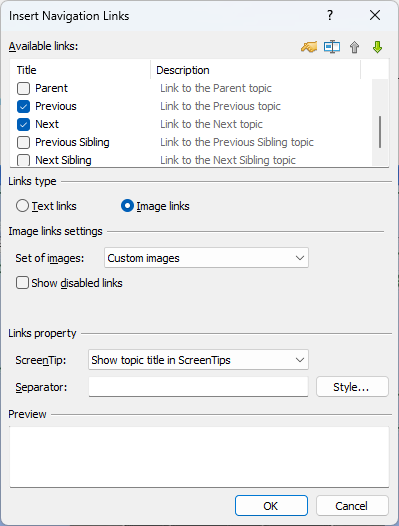
that makes a jump up to the top of the page when clicked.
Is there any such functionality implemented, or is it possible to accomplish through customization of the available link types?
The Navigation Links object allows you to navigate to previous and next topics only.
To jump to the top of the page, you can use a regular hyperlink of the "Web Page" type, and also a bookmark.
For example, in a topic template, you can insert a bookmark (named "top") at the top of the document. Then you can use a hyperlink with the URL Address defined as "#top".
Remark: This solution should work in HTML-based formats including CHM help file and Web Help system.
Applying a Hyperlink to an Image
If necessary, a hyperlink can also be applied to an image, not only to text.
Thus, it is possible to insert an image into a topic (or template). Then you can select the image and apply a hyperlink to it by using the Insert|Hyperlink command.
Thanks for the response! If I use the image and Insert|Hyperlink approach, can I then set a link to the bookmark without explicitly specifying the topic, i.e. the current page? For example, if I place this hyperlinked image in a template? Or do I need to use custom HTML code for this?
Yes, you can use a hyperlink of the Web Page type. In the Hyperlink dialog, in the Address box, simply specify the name of your bookmark (e.g. #top as in the example above).
Thanks, it seems to work, but please note that I get this warning when compiling:
[Warning] Invalid hyperlink found: link must have a scheme (for example: http://).
As a future improvement of the software, could I suggest either that:
Yes, we will try to implement this in the next HelpSmith update soon.